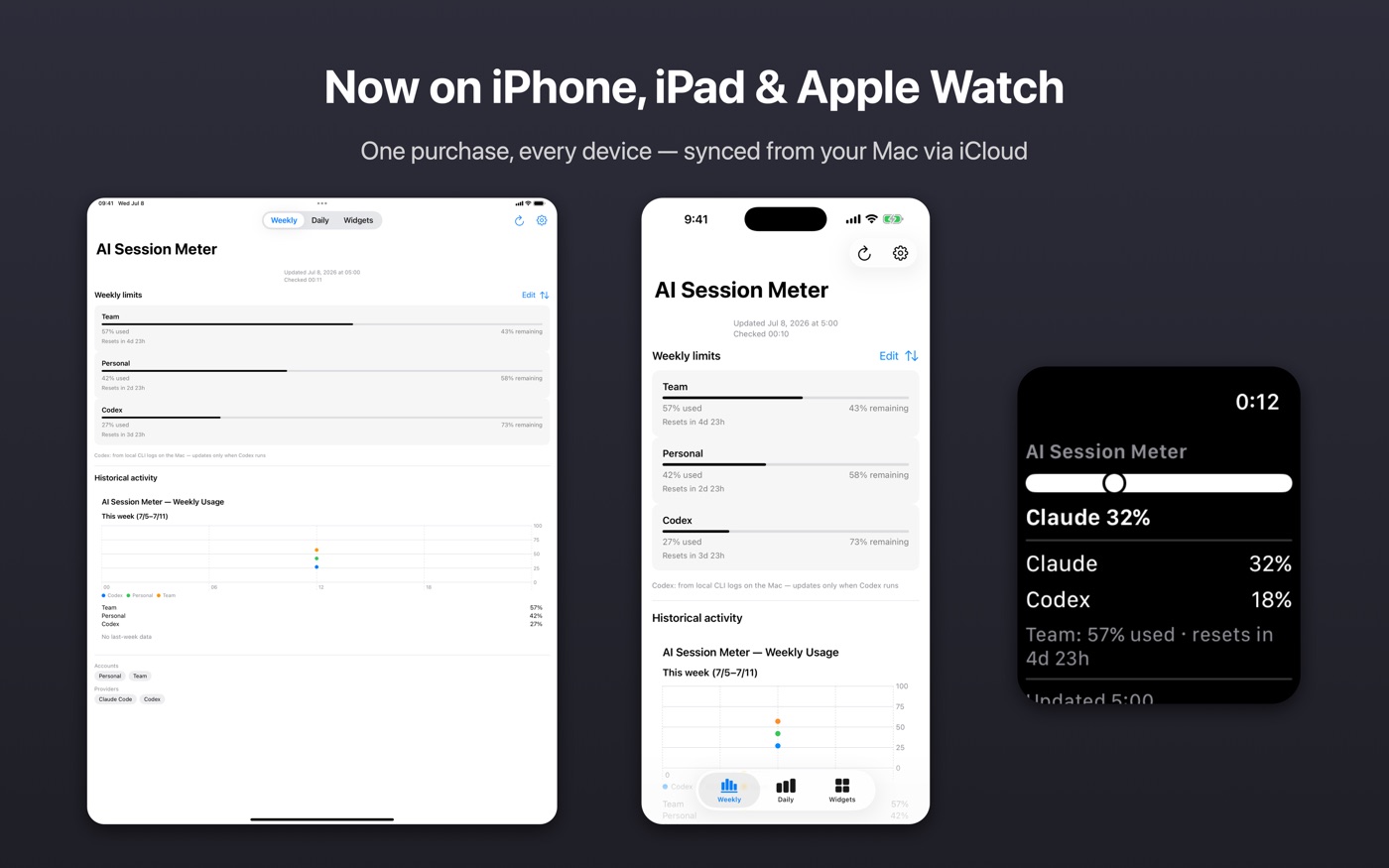
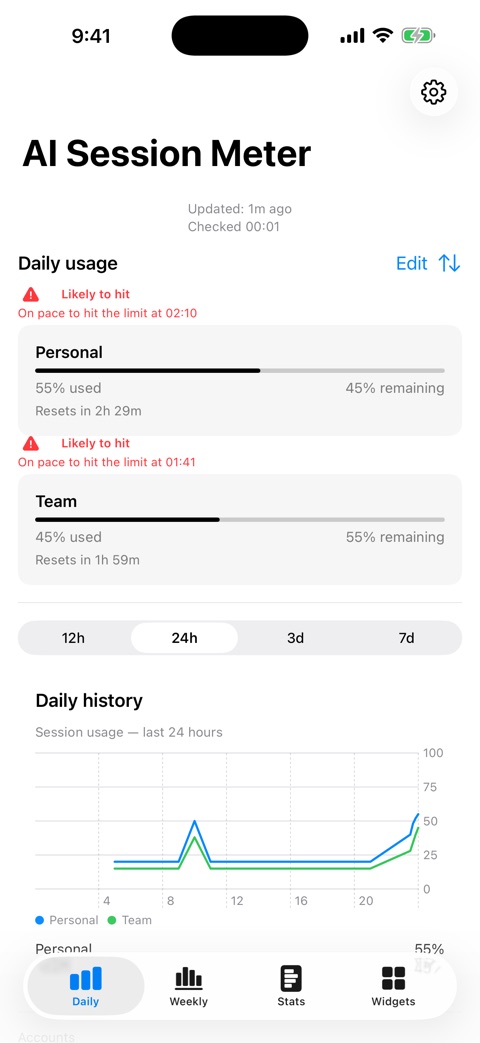
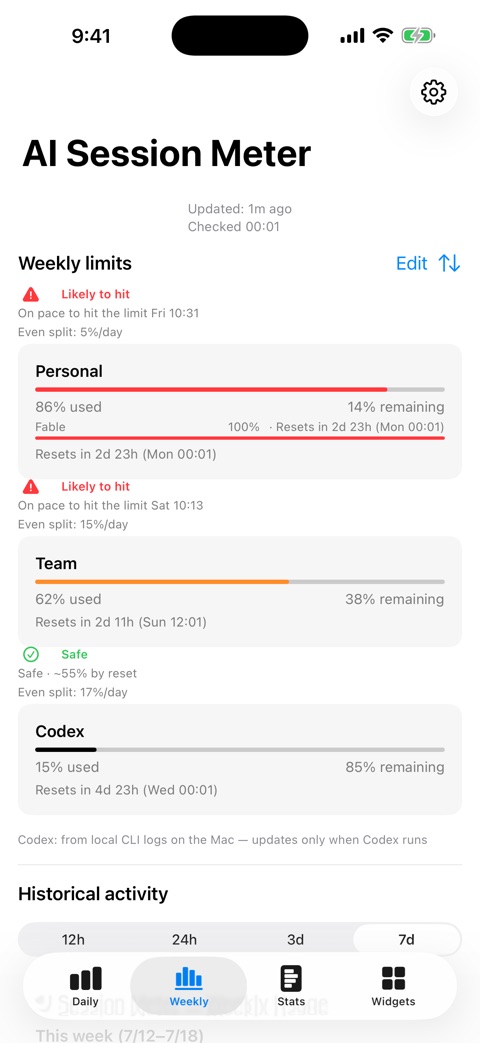
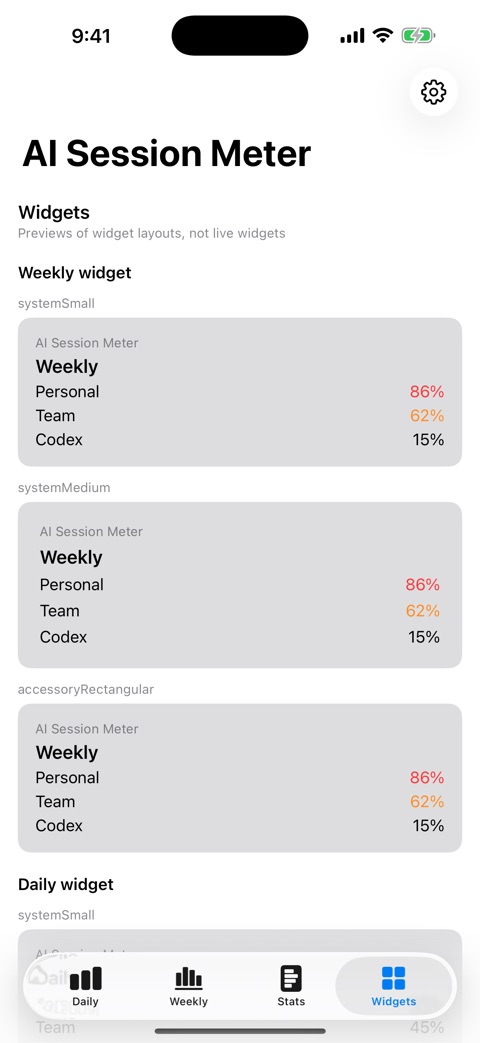
Know before you hit the limit. AI Session Meter puts your live Claude session and weekly limits on your Mac menu bar, iPhone, iPad, and Apple Watch, with optional Codex (OpenAI) usage tracking on the Mac.
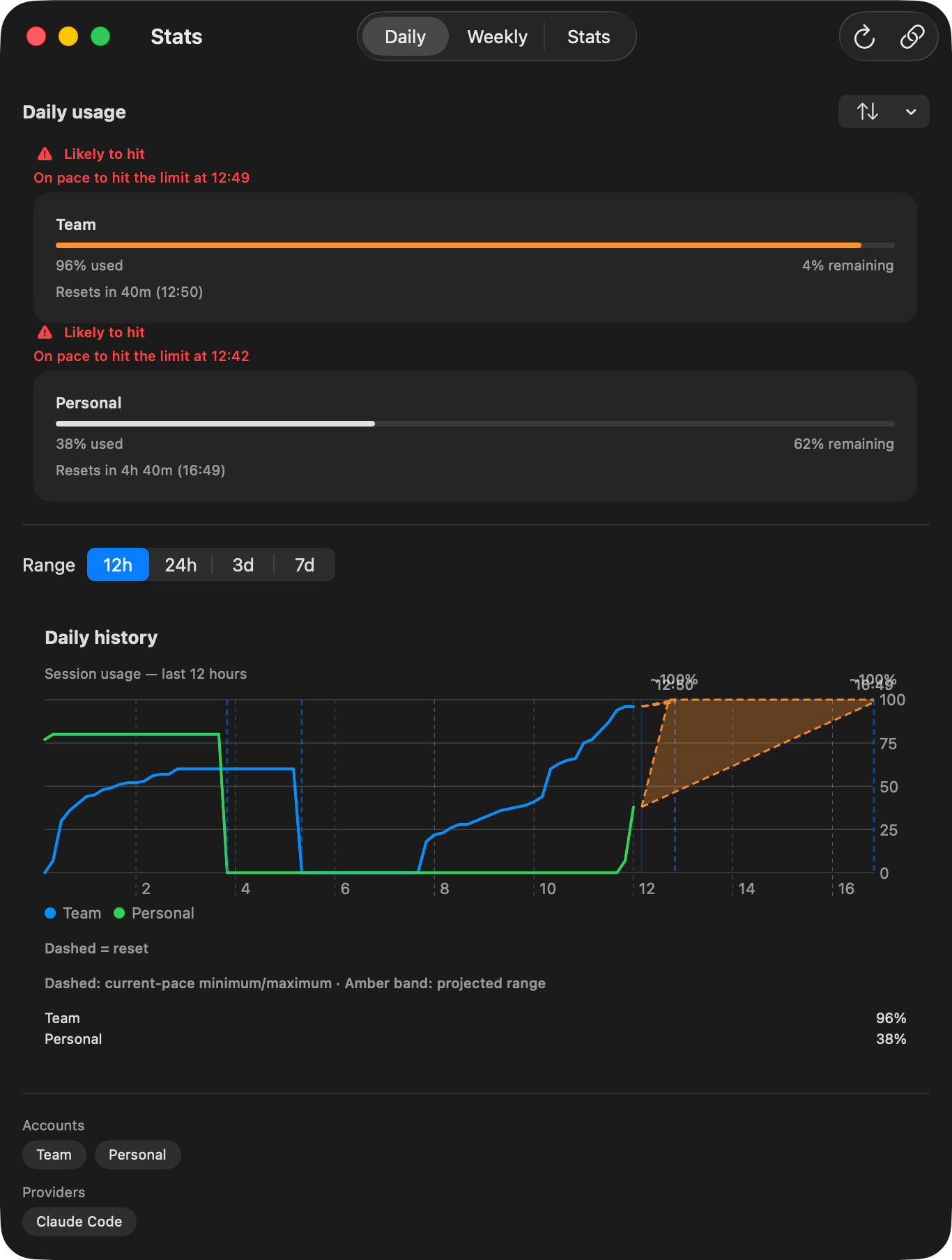
AI Session Meter measures your recent pace instead of assuming that every session behaves the same. Flat usage stays at the current percentage; increasing usage shows where you may land by reset — and a projection never drops below what you have already used. When the evidence is still changing, the app says so instead of claiming false precision.
Pace forecast with projected range to reset / リセットまでの予測レンジを示すペース予測
On your Mac
Add the Mac app when you want more:
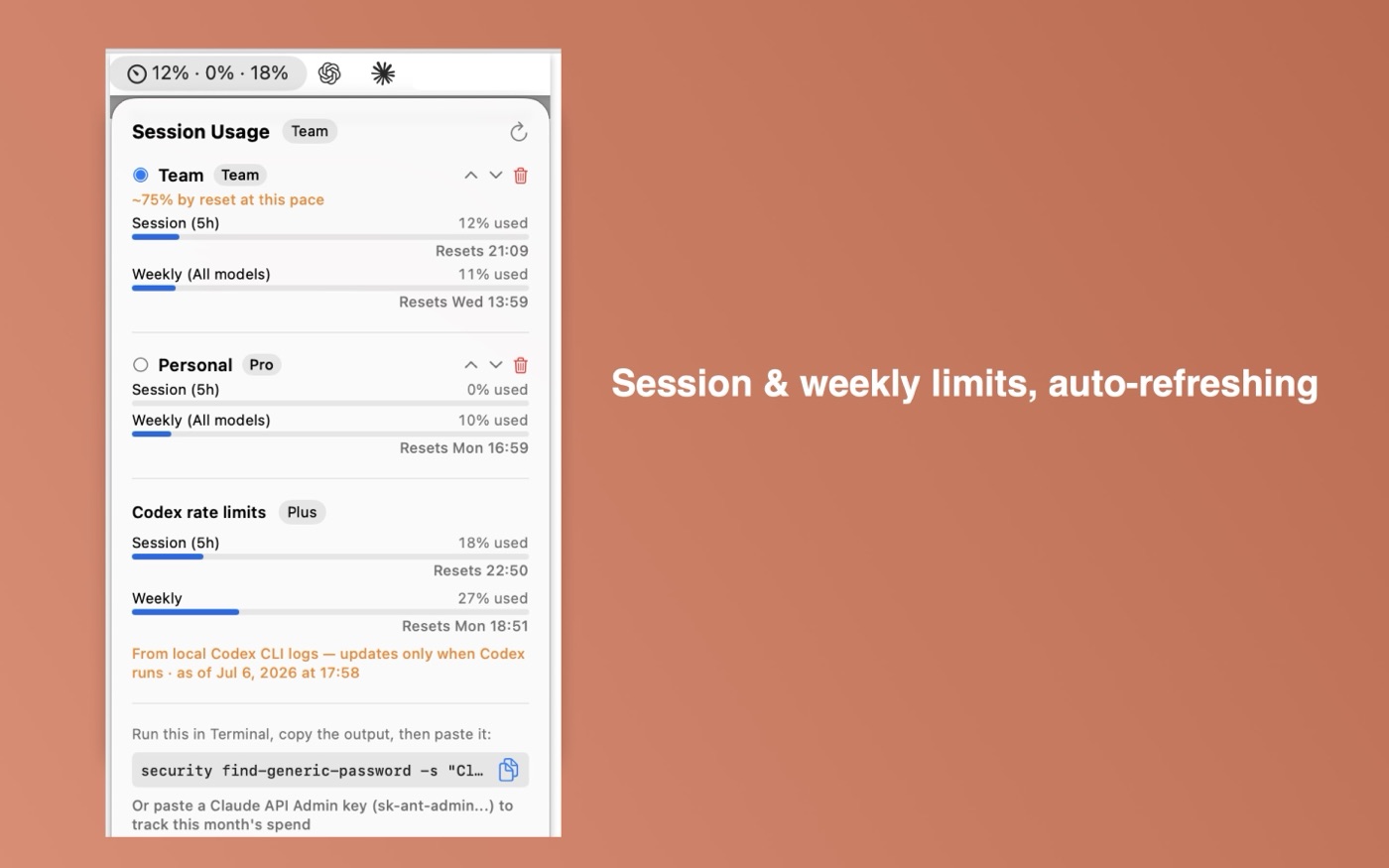
Keep Claude session and weekly limits visible in the menu bar
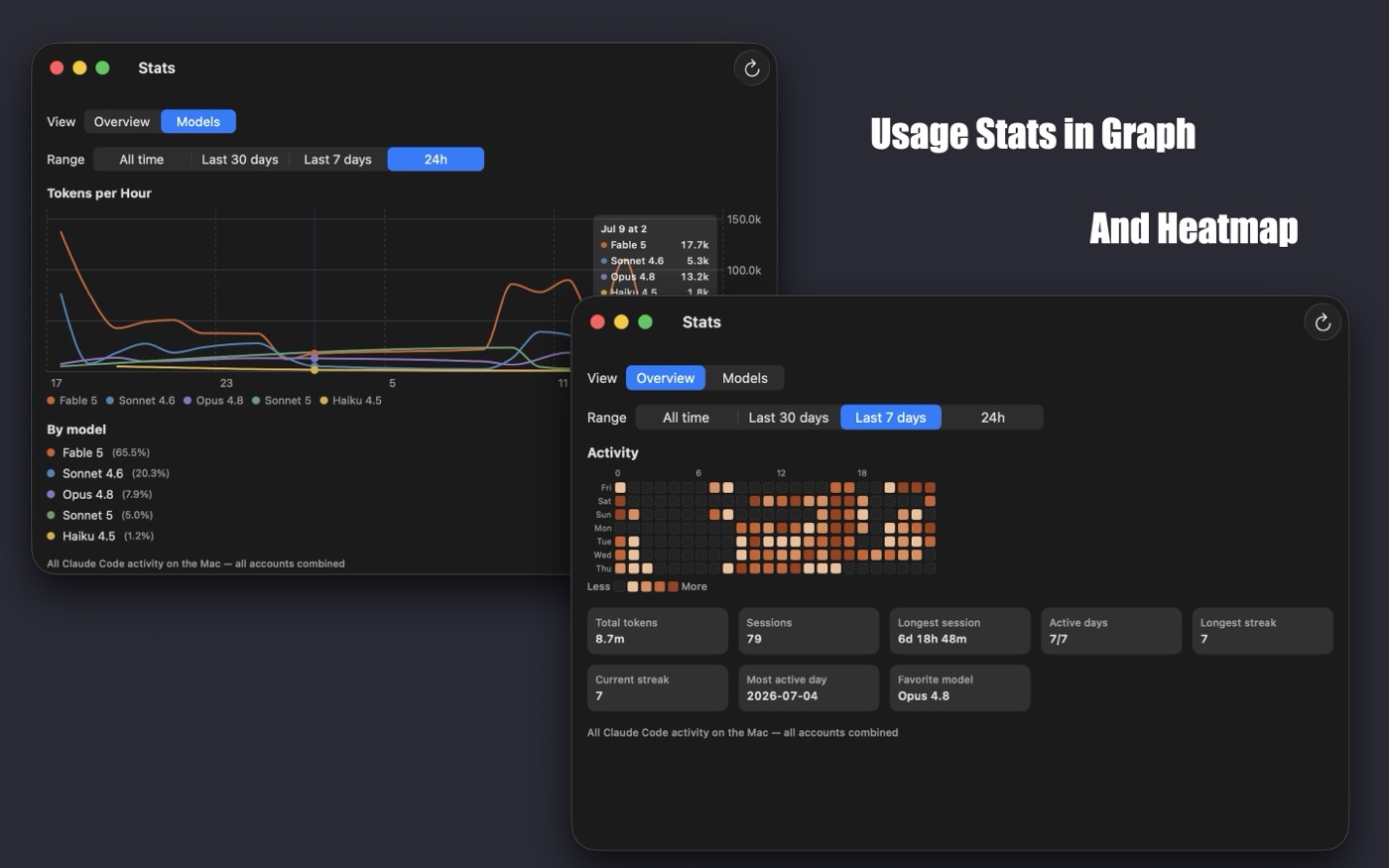
See Claude Code and Codex activity by model, including token totals and heatmaps
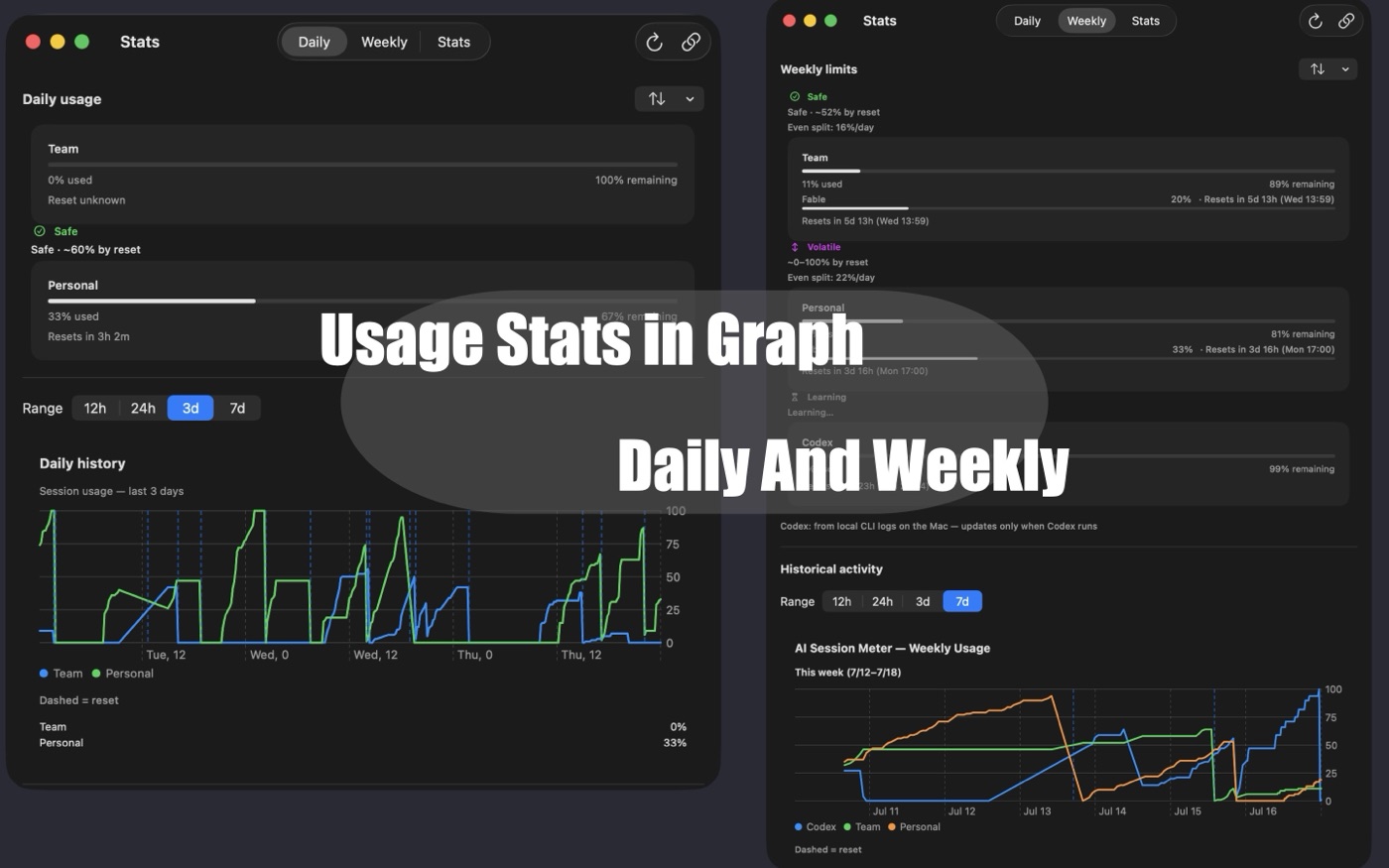
Review longer Stats history from 12 hours to all time
Merge old account identities when the same account appears under a previous name
Sync recorded history, forecasts, and widgets to iPhone and iPad through your own iCloud
Menu bar popover with per-account session & weekly meters / アカウントごとのセッション・週間メーターを表示するメニューバーStats: Daily & Weekly history / Stats: デイリー・ウィークリー履歴Stats: Overview heatmap & per-model tokens / Stats: 概要ヒートマップとモデル別トークン
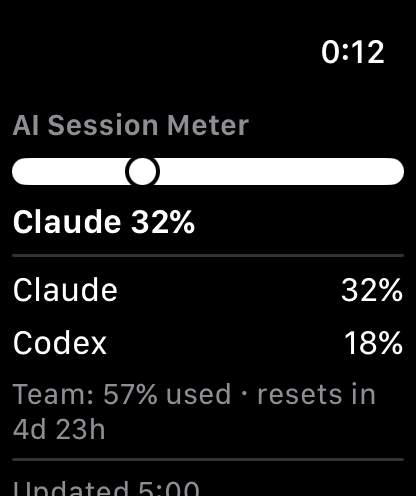
Apple Watch
See your current Claude session and weekly limits at a glance on Apple Watch, including a watch-face complication. It shows history recorded by your iPhone and Mac and never connects to an AI service directly.
At a glance on Apple Watch / Apple Watchでひと目に
How data is handled
AI Session Meter never calls an AI model and never consumes your usage quota
Claude usage is read from Anthropic's official usage service after you sign in; your credential stays on your devices and is sent only to Anthropic
Codex stats are read only from local Codex CLI files on your Mac; OpenAI provides no public usage API
Apple Watch displays history recorded by your devices and never connects to an AI service
Private by design
Fully sandboxed
No analytics, tracking, or ads
Codex files are read only from folders you explicitly allow
Device sync uses only your own iCloud account
Getting started
On the Mac
Install AI Session Meter from the Mac App Store, click the menu bar icon, and paste your Claude access token when prompted. The app then auto-refreshes the token so you normally never have to paste it again. See the Support page for detailed token setup steps.
On iPhone or iPad
Install AI Session Meter, then sign in with your Claude account directly on the device — or let it sync from your Mac through your own iCloud account.
Requirements
macOS 13 (Ventura) or later
iPhone / iPad: iOS 16 or later
A Claude Max / Pro subscription (needed to read the usage endpoint)
Pricing
AI Session Meter is free to download, with a 14-day full-feature trial. After the trial, a one-time $4.99 purchase unlocks everything — no subscription. Customers who previously purchased the app during its earlier paid-app era keep full access automatically.
日本語
上限に達する前に、分かる。 AI Session Meterは、Claudeのライブのセッション/週間上限をMacのメニューバー・iPhone・iPad・Apple Watchで確認できるアプリです。Macでは任意でCodex(OpenAI)の使用量も確認できます。
Mac App Store で入手 — 同じ App Store リストに Mac アプリ・iPhone/iPad アプリ・Apple Watch 対応が含まれています。
Macでは: Mac App Store から AI Session Meter をインストールし、メニューバーアイコンをクリックして、表示に従って Claude のアクセストークンを貼り付けます。以降はアプリがトークンを自動更新するため、通常は再度貼り付ける必要はありません。詳しいトークン設定手順はサポートページをご覧ください。
iPhone / iPadでは: AI Session Meter をインストールし、端末上で直接 Claude アカウントにサインインするか、ご自身の iCloud 経由で Mac から同期させます。
必要環境
macOS 13 (Ventura) 以降
iPhone / iPad: iOS 16 以降
Claude Max / Pro サブスクリプション(使用量エンドポイントへのアクセスに必要)
料金
AI Session Meter は無料でダウンロードでき、14日間はすべての機能を無料で試せます。トライアル後は、買い切り $4.99 の購入で全機能を永続的にアンロックできます(サブスクリプションではありません)。以前の有料アプリ時代にご購入済みの方は、自動的にフルアクセスが継続します。