User Guide (tvOS) · リビングの大きな画面で、教会の今週をいつでも。
The Davar Church App on your TV — a friendly, screen-by-screen guide.
日本語「Davar Church App」の Apple TV 版です。今週の暗誦聖句、説教サマリーの朗読動画、お知らせ、セミナー動画、教会の写真を、テレビの大きな画面でお楽しみいただけます。これらの公開コンテンツはサインインなしで利用できます。「Bible AI」チャットのみ、会員サインイン後にご利用いただけます。日本語 / 英語に対応しています。
EN This is the Apple TV version of the Davar Church App. It brings this week's memory verse, narrated sermon-summary videos, announcements, seminar videos, and church photos to the big screen — in Japanese or English. These public sections are available without signing in. Only the Bible AI chat requires member sign-in.
※ Bible AI を使うときだけ、教会から案内された会員サインインを行います。 / Member sign-in is needed only when using Bible AI.
iPhone・iPad 版のガイドはこちら。 / See the iPhone & iPad guide.
日本語 Apple TV の App Store で「davar」を検索し、Davar Church App をインストールします。開くと、ホームなどの公開コンテンツをすぐに利用できます。Bible AI を使うときだけ「Bible AI にサインイン」を選び、教会から案内されたパスワードを入力して「ログイン」を押してください。リモコンで画面のキーボードを使うほか、iPhone が近くにあれば、iPhone に届く「Apple TV で入力」の通知からかんたんに入力できます。
EN On your Apple TV, open the App Store, search for davar, and install the Davar Church App. Public sections are ready to use right away. Only when using Bible AI, select Sign in to Bible AI, enter the password provided by the Church, and select Log In. You can type with the on-screen keyboard, or more easily from the "Type on Apple TV" notification that appears on a nearby iPhone.
日本語 画面の上にある 7つのタブ(ホーム・メディア・セミナー・暗誦聖句・Bible AI・写真・設定)を、リモコンの左右で選んで切り替えます。画面の中は上下左右で移動し、決定(クリック)で開きます。動画などから戻るときは、リモコンの「戻る」(Menu)ボタンです。
EN The seven tabs across the top (Home, Media, Seminars, Memory Verse, Bible AI, Photos, Settings) switch between screens — move left/right on the remote to choose one. Move around a screen with the directional pad and press Select (click) to open items. Press the Back (Menu) button to leave a video or return to the previous screen.

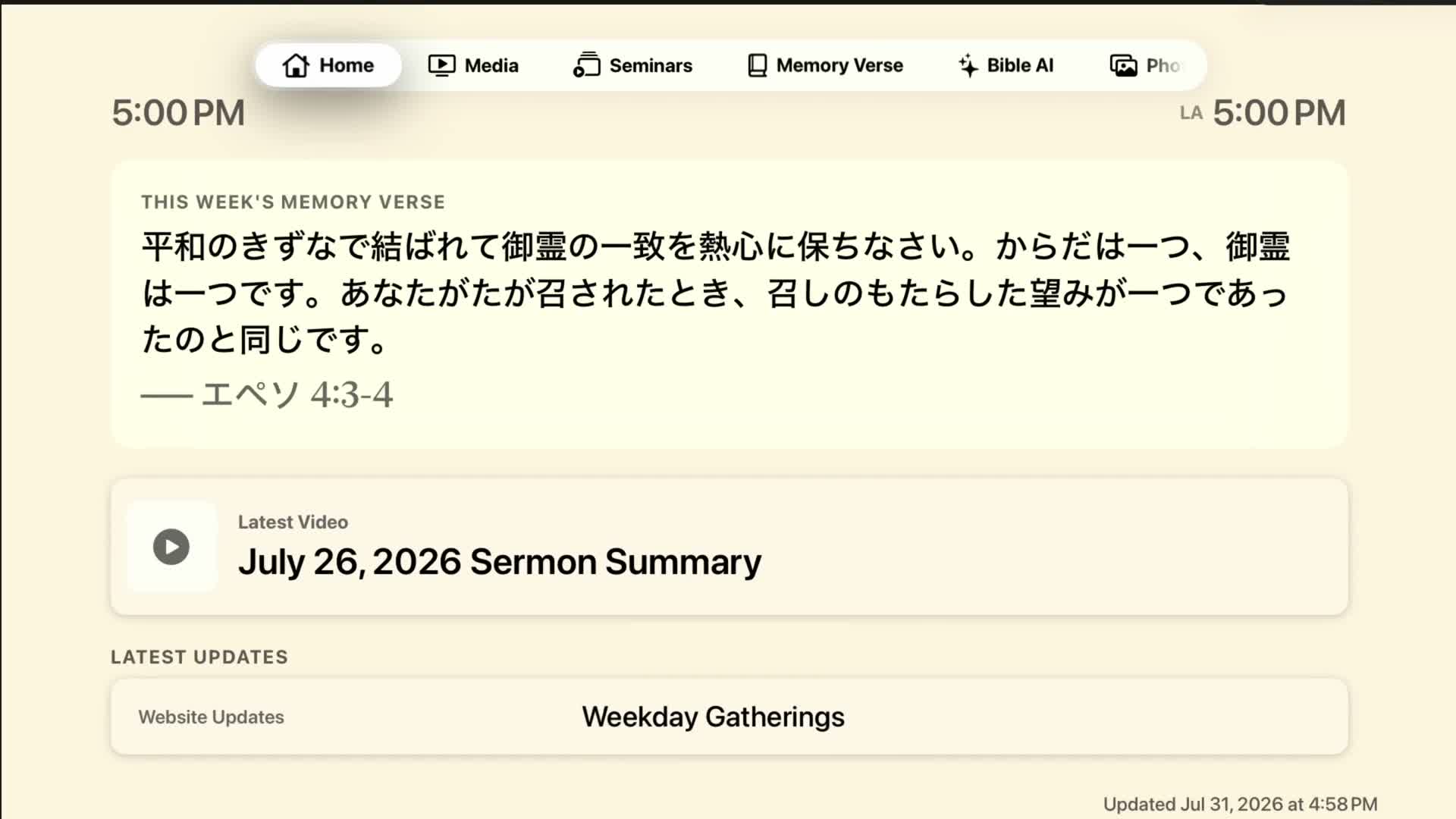
日本語 アプリを開くと出てくる画面です。テレビをつけたままにしておける「教会の掲示板」のような画面で、教会の写真が背景でゆっくり入れ替わります。
EN The screen you see when the app opens — like a church notice board you can leave on, with church photos slowly rotating in the background. The big card shows this week's memory verse (alternating Japanese and English in "Both" mode). Latest Video is the narrated reading of the weekly sermon summary — press Select to play it full screen (it loops, handy for gatherings; press Back to stop), in the language chosen in Settings. Latest Updates shows one headline at a time (website updates, blogs, announcements, newsletters); press Select to see details with a QR code you can scan with your iPhone to read the article there (the TV has no web browser). The clocks show local time (top-left) and Los Angeles time (top-right) — adjustable under Settings → Clock. The "Updated" time appears at bottom-right; content refreshes automatically when you open a tab, and when offline the app shows your last-loaded content.

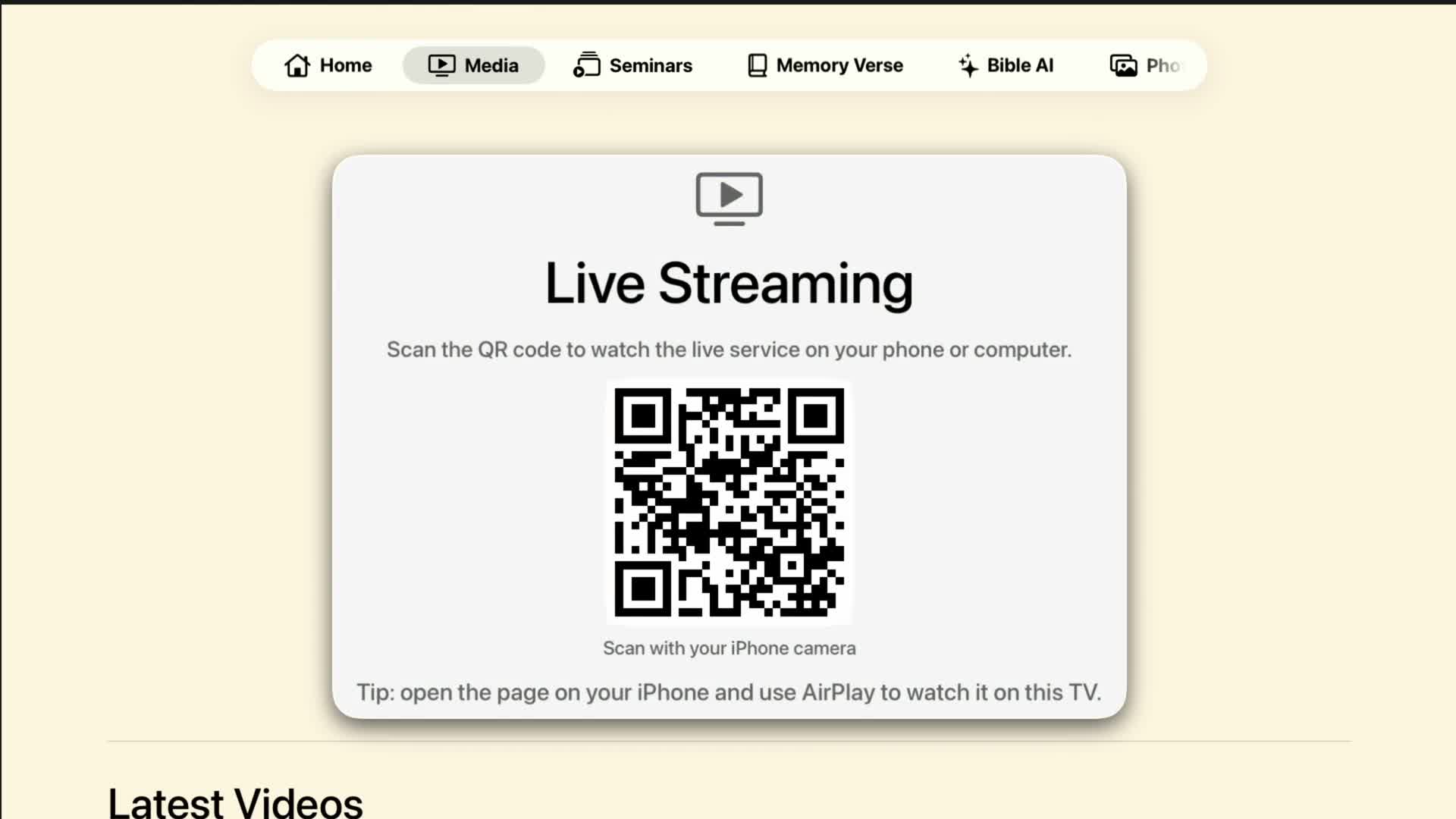
日本語 ライブ配信と、公式 YouTube の最新動画をまとめたタブです。
EN Live streaming and the latest official YouTube videos. The live service can't play on the TV itself — scan the QR code with your iPhone camera and watch on your phone or computer. Tip: open the page on your iPhone and use AirPlay to mirror it to this TV for the big-screen experience. Scroll down for Latest Videos: the newest uploads (up to four each) from the Davar Kingdom of God and Jun Asai channels. Selecting one opens the YouTube app on Apple TV; if that's not possible, a QR code appears so you can watch on your phone instead.

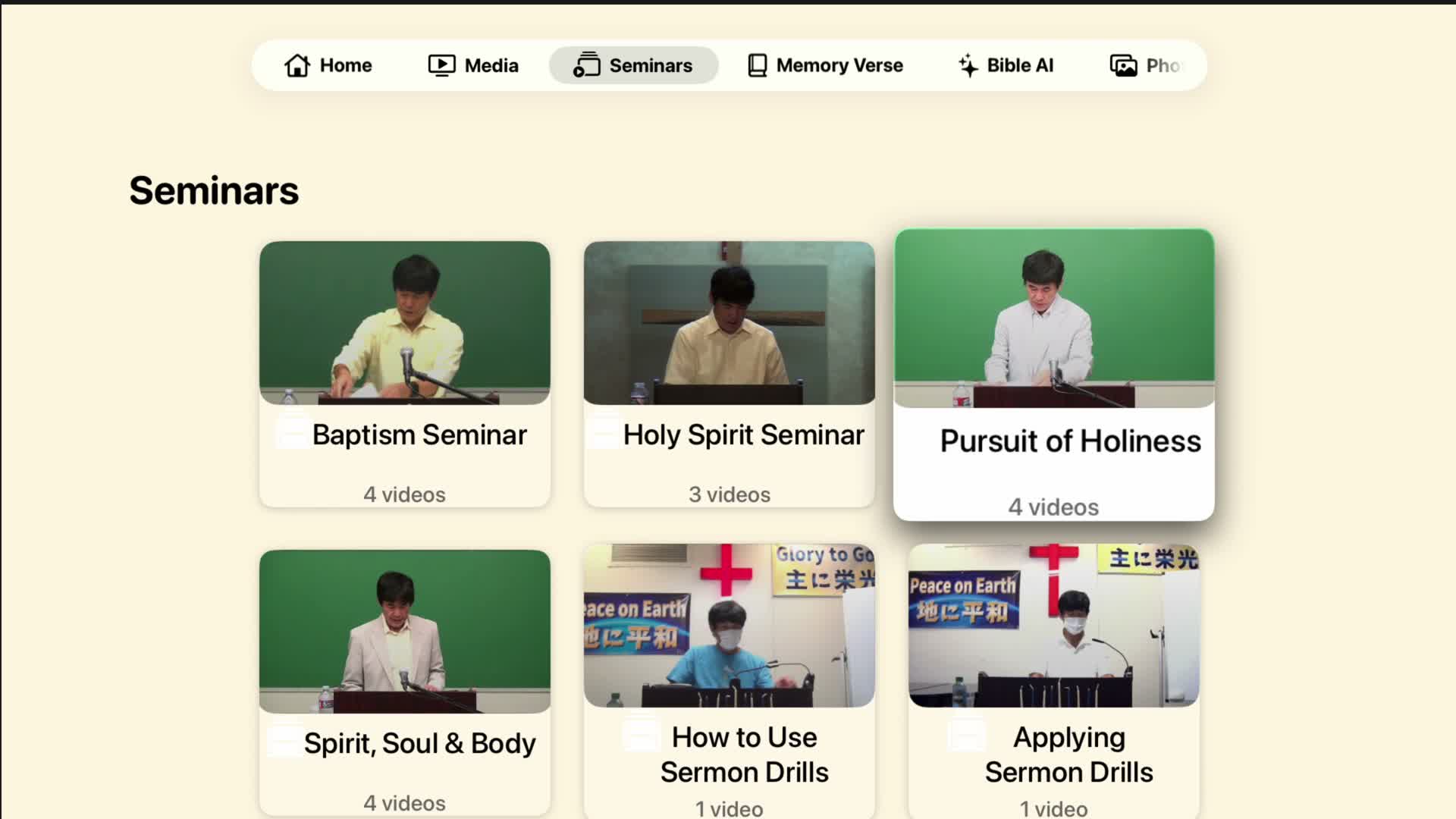
日本語 洗礼セミナー、聖霊セミナーなどの学びの動画シリーズを、テレビで視聴できるタブです(iPhone 版の「動画シリーズ」と同じ内容です)。
EN Watch the church's teaching video series — Baptism Seminar, Holy Spirit Seminar, and more — on your TV (the same content as "Video Series" in the iPhone app). Select a series to see its description and episode list, then pick an episode: playback starts full screen and continues automatically through the remaining episodes. Use the remote to pause, fast-forward, or rewind, and the Back button (or the on-screen Back) to return to the list.

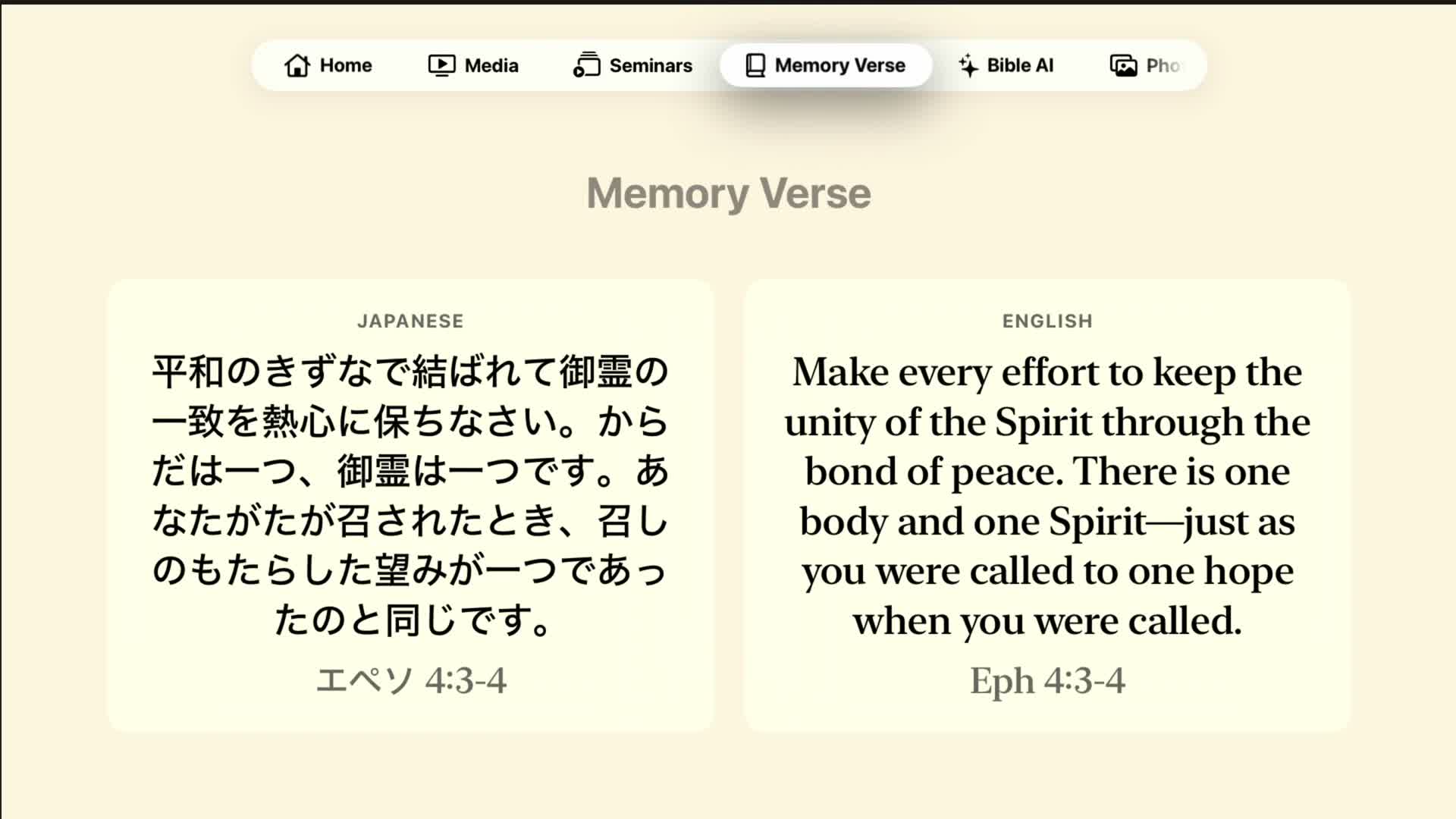
日本語 今週の暗誦聖句を、日本語と英語の両方で大きく表示します。テレビならではの大きな文字なので、ご家庭や集会でみんなで一緒に読むのにぴったりです。「設定」→「暗誦聖句」で、日本語のみ / 英語のみの表示にも変えられます。まだ登録がない週は「今週の暗誦聖句はまだありません」と出ます。
EN Shows this week's memory verse in both Japanese and English, in large type made for the TV — great for reading together at home or in a gathering. Under Settings → Memory Verse you can switch to Japanese-only or English-only. If none is set for the week, it says "No Memory Verse Yet."

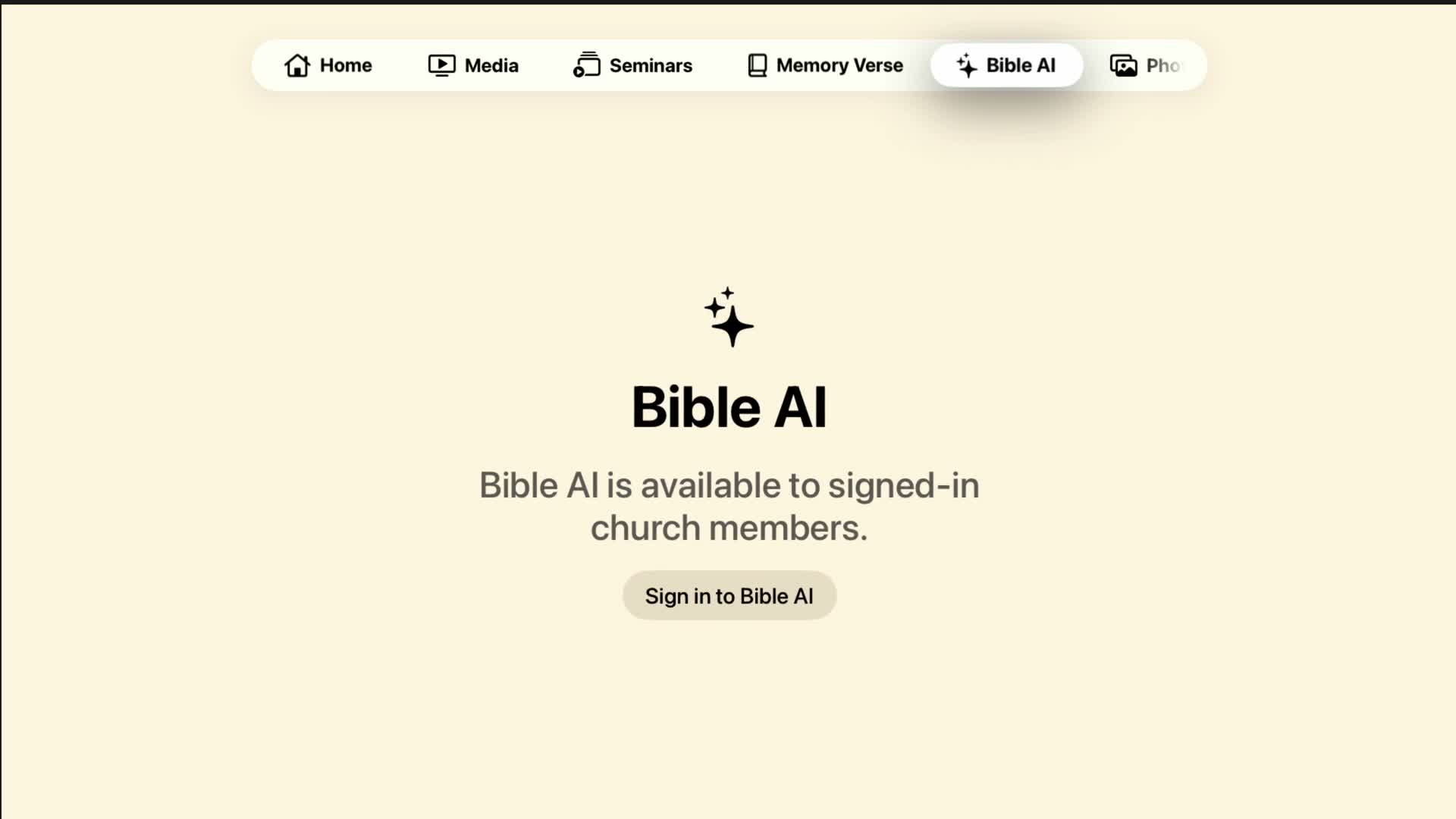
日本語 このタブだけは会員サインインが必要です。サインイン後、聖書や教会について質問すると、AI が答えてくれます。
EN This is the only tab that needs member sign-in. After signing in, ask a question about the Bible or the church and the AI answers. The question box is at the top of the screen — select it and press the Select button to open the keyboard (the iPhone's "Type on Apple TV" notification makes typing much easier). Then press the send (↑) button. An answer can take 30 seconds to 2 minutes, and you can ask up to 10 questions per hour. Scroll long answers with the remote. Conversations aren't saved — closing the app starts a fresh one.

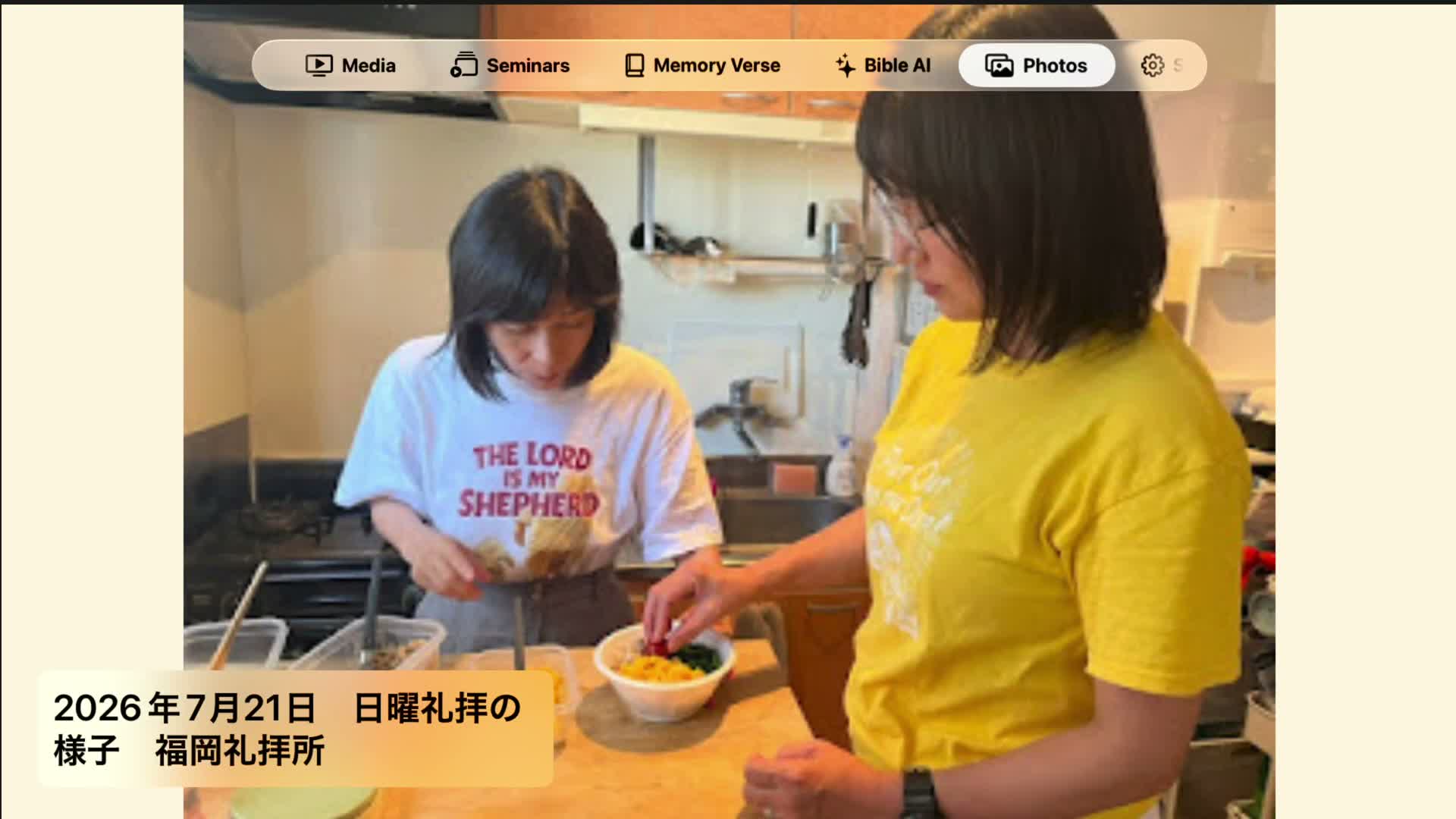
日本語 教会のブログや各地の更新に掲載された最近の写真(みことばカード、集会の様子など)を、全画面のスライドショーで表示します。約10秒ごとに自動で切り替わり、左下に写真のタイトルと日付が出ます。テレビをつけたままにして、フォトフレームのように楽しめます。ホーム画面の背景にも同じ写真が使われます。
EN A full-screen slideshow of recent photos from the church's blogs and branch updates — word cards, gatherings, and more. Photos change automatically about every 10 seconds, with the title and date at bottom-left. Leave it on and enjoy it like a photo frame; the same photos also appear as the Home screen background.
このタブは「設定」→「スライドショー」で非表示にできます。 / You can hide this tab under Settings → Slideshow.
日本語 アプリの設定を変える画面です。上から順に、次の項目があります。
EN Adjust the app here. Content Language (日本語 / English) switches both the display and the content — memory verse, narrated video, and more — independently of the Apple TV's system language. Background offers eight color tones (Ivory and others). Clock sets the local-time zone (Automatic / Los Angeles / New York / Honolulu / Tokyo) and shows or hides the LA clock. Screen Saver → "Prevent While App Is Open" (on by default) keeps the Apple TV screen saver from starting so the app can stay on display; turn it off to let the screen saver run as usual. Memory Verse chooses Both / Japanese only / English only, and Slideshow turns the Home background photos and the Photos tab on or off.
ホームなどの公開コンテンツは、Bible AI のサインインの有無にかかわらず使えます。 / Public sections remain available whether or not you are signed in to Bible AI.
お問い合わせ / Contact: [email protected]